
Level-up notifications
When a member levels up, Prosperity can announce it. You choose how: as a reply where they were chatting, in a dedicated channel, in the member's direct messages, or not at all.
What a member sees
A notification reads like: "Congratulations @member! You have levelled up to level 5". Where it appears depends on the notification type you set for the server.
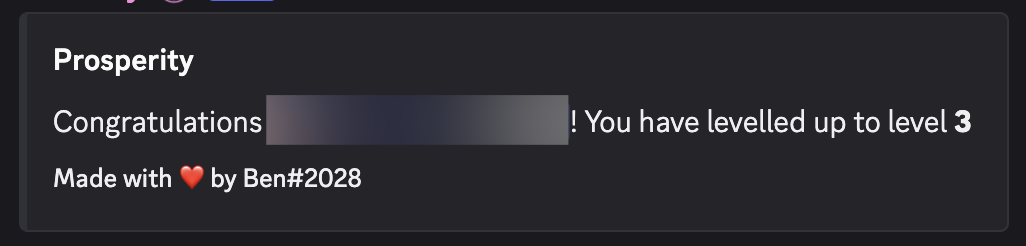
Setting the notification type
Run /settings notifications with the Manage Server permission. There are two ways to use it.
Quick way: name a channel
Provide a channel and every level-up message goes there:
/settings notifications channel:#level-upsThis is the tidiest option for a busy server. It keeps level-up messages out of your conversation channels and gives members one place to see them.
Pick a type from the menu
Run the command without a channel and Prosperity shows a prompt to choose a notification type:
/settings notifications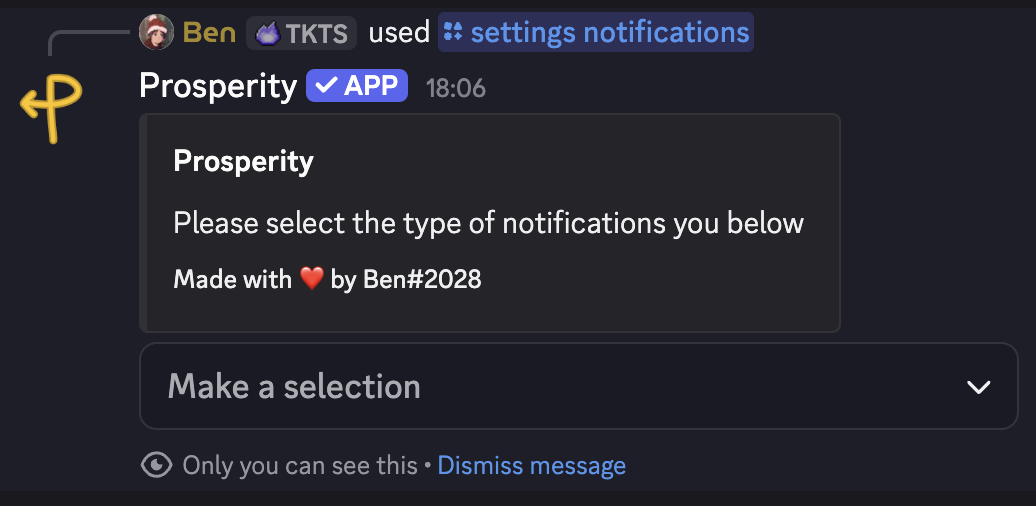
Open the dropdown to see the options:
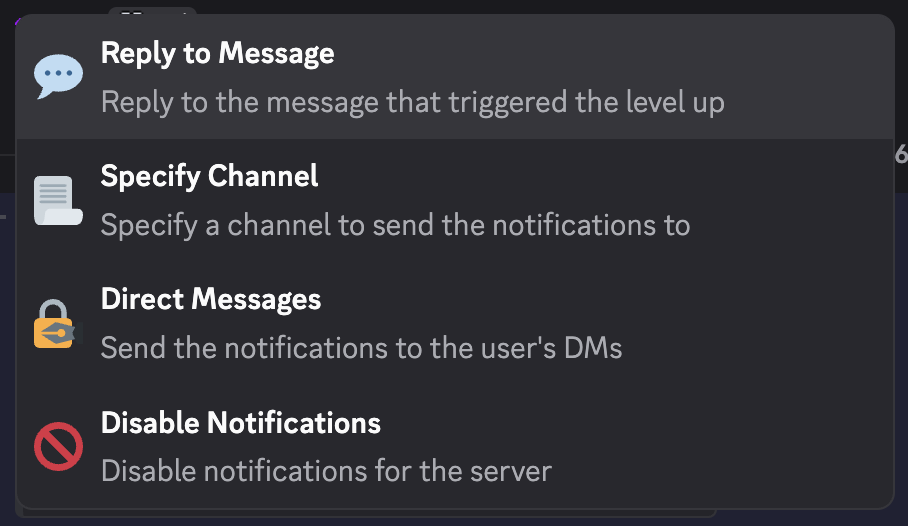
| Type | What it does |
|---|---|
| Reply to Message | Replies to the message that triggered the level-up, in the same channel. |
| Specify Channel | Sends every level-up message to a channel you choose. |
| Direct Messages | Sends the notification to the member's direct messages only. |
| Disable Notifications | Turns level-up messages off for the server. |
Choose Reply to Message for a casual server where celebrating in context is fine, Specify Channel to keep one tidy feed, Direct Messages to notify members privately, or Disable Notifications to let levelling run quietly in the background.
Turning the noise down
If level-up messages feel too frequent, you have two levers. Set the type to Specify Channel or Direct Messages to move them out of your main channels, or lengthen the XP cooldown with /settings delay so members level up less often.
Related
/settingscommand reference for exact options.